
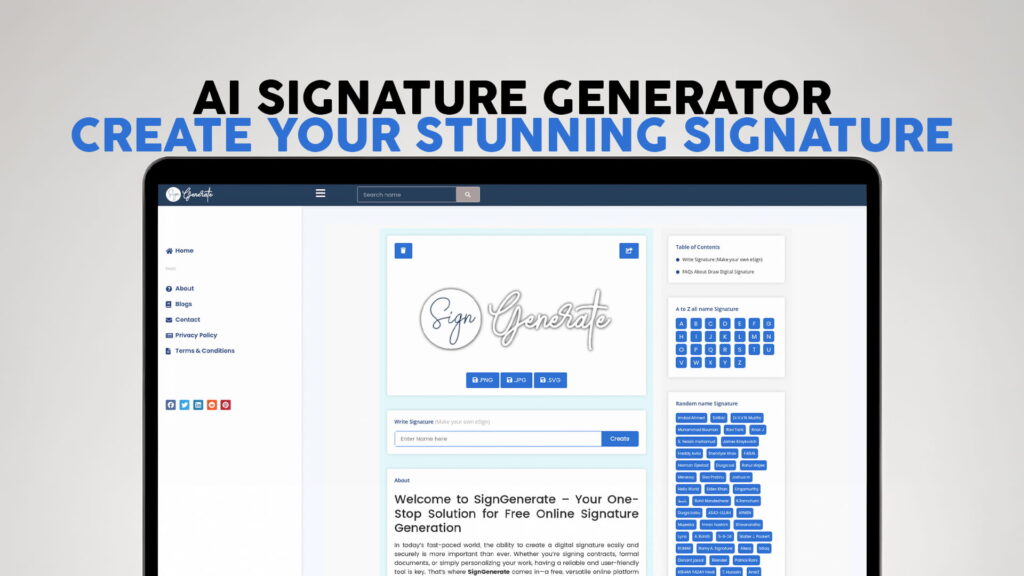
Have you ever needed to sign a document online but had no idea how to do it quickly and for free? Maybe you needed a professional-looking signature for a PDF, a business email, or a contract. The good news is that you no longer need fancy software, a drawing tablet, or even a pen to create a beautiful signature. With an AI signature generator, you can create your stunning signature in just a few seconds — right from your browser.
SIGN GENERATE is one of the best free tools available today for creating an online signature. It is simple, fast, and completely free to use. You do not need to sign up or create an account. You just visit the website, follow a few easy steps, and download your signature. That is it.
In this article, we will walk you through everything you need to know about AI signature generators, why they are useful, how SIGN GENERATE works, and why it stands out from the rest.
What Is an AI Signature Generator?
An AI signature generator is an online tool that helps you create a digital version of your signature. Instead of signing a piece of paper and scanning it, you can simply type your name or draw your signature on your screen, and the tool will turn it into a clean, professional-looking image.
Some signature generators use artificial intelligence to style your name in a way that looks natural, handwritten, and unique. The AI looks at your name and creates multiple signature styles for you to choose from. You can then pick the one you like the most, customize it, and download it.
These tools are very useful for people who work online, run a business, sign contracts digitally, or just want a cool-looking signature for their emails and documents. Whether you are a freelancer, a student, a business owner, or someone who just wants a nice-looking personal signature, an AI signature generator can save you a lot of time.
Why Do You Need a Digital Signature?
Before we talk more about how to create a signature, let us first understand why having a digital signature is so important these days.
We live in a world where most of our work is done online. Contracts are signed digitally. Job offers are accepted with an eSign. Banks require digital signatures on forms. Even schools and universities ask students to sign documents online. Having a neat and professional digital signature makes all of this so much easier.
Here are some of the main reasons why you need a digital signature:
For professional emails: A custom signature at the bottom of your email makes you look professional and trustworthy. It shows your name, title, and contact details in a clean format.
For signing documents: Many PDF editors and document tools allow you to insert an image of your signature. Having a pre-made signature image ready to use saves you so much time.
For contracts and agreements: Whether you are a freelancer sending an invoice or a business owner signing a partnership deal, having a digital signature is a must.
For personal branding: Your signature is part of your identity. Having a unique, stylish signature that represents you can be a great addition to your personal brand.
For speed and convenience: You do not have to print, sign, scan, and email a document anymore. A digital signature lets you sign anything in just a few clicks.
Introducing SIGN GENERATE – The Best Free Online Signature Maker
SIGN GENERATE is a completely free online platform that lets you create beautiful, professional digital signatures without any registration or sign-up. It is fast, easy to use, and works on any device — whether you are on a desktop computer, a laptop, a tablet, or a smartphone.
What makes SIGN GENERATE special is how simple the whole process is. You do not need to be tech-savvy to use it. Anyone can create a stunning eSign in a matter of seconds. The platform is clean, modern, and distraction-free, so you can focus on what matters — creating a great signature.
SIGN GENERATE is designed for everyone. It does not matter if you are a student who needs a signature for a school form, a professional who signs business documents every day, or just someone who wants a cool signature for fun. SIGN GENERATE has got you covered.
How to Create Your Signature Using SIGN GENERATE
Creating a signature with SIGN GENERATE is incredibly easy. Here is a simple step-by-step guide on how to do it.
Step 1: Visit the Website
Go to SIGN GENERATE and open the signature generator tool. No login is required. The page loads quickly and you are ready to start right away.
Step 2: Type Your Name
Enter your full name or just your first name, depending on how you want your signature to look. Some people prefer using their full name, while others like to use just their first name or initials. Type whatever feels right to you.
Step 3: Choose a Signature Style
Once you type your name, SIGN GENERATE will show you multiple signature styles. These are AI-generated styles that look natural and handwritten. Browse through the options and pick the one you like the most.
Step 4: Customize Your Signature
You can adjust the size, color, and other settings to make the signature look exactly the way you want. Want a bold, dark signature? Done. Prefer something light and elegant? No problem. The customization options are simple and easy to use.
Step 5: Download Your Signature
Once you are happy with how your signature looks, just click the download button. Your signature will be saved as an image file that you can use anywhere — in emails, PDFs, Word documents, Google Docs, and more.
That is all there is to it. The whole process takes less than a minute, and you end up with a beautiful, professional digital signature that is completely your own.
Key Features of SIGN GENERATE
SIGN GENERATE comes packed with features that make it one of the top AI signature generators available for free. Here is a closer look at what makes it so good.
Completely Free to Use
One of the best things about SIGN GENERATE is that it is 100% free. There are no hidden fees, no premium plans you need to upgrade to, and no annoying payment prompts. You get full access to all the signature generation features at no cost.
No Registration Required
Many online tools make you create an account before you can use them. SIGN GENERATE does not do that. You can start creating your signature immediately, without entering your email address or creating a password. This is great for people who value their privacy or just do not want to go through a long sign-up process.
Multiple Signature Styles
SIGN GENERATE uses AI to generate multiple unique signature styles for your name. This gives you plenty of options to choose from. Whether you want something classic and formal or something modern and stylish, you will find a style that suits you.
Easy Customization
The tool allows you to customize your signature with different colors, sizes, and styles. This makes it easy to create a signature that matches your personal or professional brand.
Works on All Devices
SIGN GENERATE works on all devices, including desktops, laptops, tablets, and smartphones. Whether you are on Windows, Mac, Android, or iOS, you can create your signature without any issues.
Fast and Lightweight
The tool is quick to load and easy to use. You do not have to wait a long time for the page to load or for your signature to be generated. Everything happens in real time, which makes the experience very smooth.
Download in High Quality
Your downloaded signature is high-quality and ready to use in any document or digital platform. The image is clean and sharp, so it will look great no matter where you use it.
Who Should Use an AI Signature Generator?
AI signature generators like SIGN GENERATE are useful for a wide range of people. Here are some examples of who can benefit from using this tool.
Freelancers and Self-Employed Professionals
If you work as a freelancer, you probably deal with contracts, proposals, and invoices on a regular basis. Having a professional digital signature allows you to sign these documents quickly and look more credible to your clients.
Business Owners and Entrepreneurs
Running a business means signing a lot of documents. From legal agreements to vendor contracts, having a ready-made digital signature saves you time and effort.
Students and Job Seekers
Students often need to sign permission forms, enrollment documents, and internship agreements online. Job seekers may need to sign offer letters or agreements digitally. A clean digital signature makes this process easier.
Writers and Content Creators
If you run a blog, a newsletter, or a content brand, adding a personalized signature to your emails or published pieces adds a nice personal touch and strengthens your brand identity.
Remote Workers
Remote work has become very common, and much of the paperwork that used to be done in person now needs to be handled digitally. A digital signature is an essential tool for remote workers.
Teachers and Educators
Teachers often need to sign student reports, permission forms, and official school documents. A digital signature makes this process faster and more convenient.
Anyone Who Signs Documents Online
At the end of the day, if you ever need to sign anything online — whether it is once a year or every single day — an AI signature generator is a tool that will save you time and help you look more professional.
How AI Makes Signatures Look More Natural
You might wonder how an AI can make a signature that actually looks handwritten and natural. The answer lies in how these AI tools are trained.
Modern AI signature generators are trained on thousands of real handwriting samples. The AI learns the way different letters connect, how ink flows, and what makes a signature look genuine and personal. When you type your name into the tool, the AI applies these learned patterns to generate signature styles that mimic real handwriting.
The result is a signature that does not look computer-generated or stiff. It looks natural, like something you would actually sign with a pen. This is what makes AI signature generators so impressive compared to older methods of creating digital signatures.
SIGN GENERATE uses this kind of intelligent design to give you signature options that look authentic and professional. The AI does all the hard work so you can focus on choosing the style that represents you best.
Tips for Creating the Perfect Digital Signature
Here are some helpful tips to keep in mind when creating your digital signature using SIGN GENERATE or any other AI signature generator.
Keep It Simple
The best signatures are usually simple and clean. You do not need a very complicated signature with lots of loops and lines. A clear, easy-to-read signature often looks more professional than a messy one.
Use Your Preferred Name
Think about how you want to be known professionally. If you use your full name in business, type your full name. If people know you by your first name only, just use that. Make it feel natural and consistent with how you present yourself.
Choose a Color That Fits Your Brand
Black and dark blue are the most common signature colors because they look professional and are easy to read. However, if you have a personal brand with specific colors, feel free to use those.
Test It Before Using It
Before you start using your new signature on official documents, test it out on a practice document first. This way, you can make sure it looks good at different sizes and in different contexts.
Save Multiple Versions
It is a good idea to download your signature in a few different sizes so you always have the right one ready to use. A large version for documents and a smaller version for emails is a good combination.
Why SIGN GENERATE Is the Right Choice
There are many signature generator tools on the internet, but SIGN GENERATE stands out for several good reasons.
First, it is completely free and requires no registration. Many other tools offer only a limited free version and push you to pay for full features. SIGN GENERATE gives you everything for free, right from the start.
Second, the AI-powered signature styles look genuinely handwritten and professional. You are not getting a generic, flat signature. You are getting something that looks like a real, personal signature.
Third, the platform is very easy to use. There is no learning curve. Even someone who has never created a digital signature before can figure it out within seconds.
Fourth, it works on all devices and browsers. You do not need to download any app or software. Everything runs right in your browser.
Finally, the customer experience is smooth and fast. There are no pop-ups, no annoying ads blocking your work, and no complicated steps. Just a clean, simple tool that does exactly what it promises.
Conclusion
Creating a professional digital signature no longer has to be a complicated or expensive process. With the help of an AI signature generator like SIGN GENERATE, anyone can create a stunning, personalized eSign in just a few seconds — completely free and without any registration.
Whether you need a signature for professional documents, emails, contracts, or personal use, SIGN GENERATE gives you the tools to make it happen quickly and easily. The AI-powered signature styles look natural and handwritten, the customization options are flexible, and the download is high-quality and ready to use anywhere.
If you are looking for a fast, free, and reliable way to create your own digital signature, SIGN GENERATE is the perfect solution. Head over to SIGN GENERATE today and start generating your perfect signature for free. It only takes a minute, and the result is something you will use for years to come.