
Have you ever needed to sign a document but did not have a pen nearby? Or maybe you wanted a clean, professional-looking signature for your emails, PDFs, or business documents but did not know where to start? You are not alone. Millions of people face this small but important challenge every single day.
The good news is that technology has made it easier than ever before. Today, you can create a beautiful, professional, and completely unique digital signature from the comfort of your home, office, or even your phone. You do not need any design skills, expensive software, or a scanner. All you need is a few seconds and the right tool.
That tool is SIGN GENERATE.
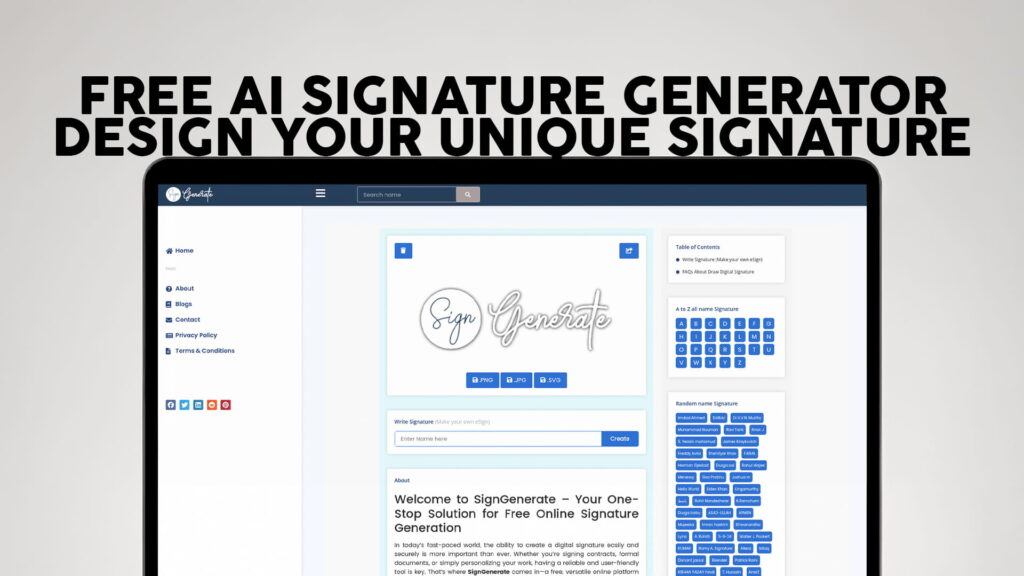
SIGN GENERATE is a free online signature generator that lets you create your own eSign quickly and without any registration. No account. No credit card. No complicated steps. Just go to the website and start creating your signature right away.
In this article, we are going to talk about everything you need to know about digital signatures, why they matter, how an AI signature generator works, and why SIGN GENERATE is one of the best free tools available today for creating your own unique signature online.
What Is a Digital Signature?
A digital signature is an electronic version of your handwritten signature. It is used to sign documents, forms, contracts, emails, and many other types of files without printing, signing with a pen, and then scanning them back.
Think of it this way. In the past, if someone sent you a contract to sign, you would have to print it, pick up a pen, sign your name, and either mail it back or scan it and email it. That process could take hours or even days.
With a digital signature, you can skip all of that. You simply upload your signature to a document and send it back in minutes. It is fast, clean, and professional.
Digital signatures are used by people in all kinds of jobs and situations. Business owners use them to sign contracts. Students use them to sign forms. Freelancers use them to sign agreements with clients. Doctors, lawyers, teachers, and everyday people use digital signatures all the time.
A digital signature is not just convenient. It is also widely accepted. Many businesses, organizations, and legal systems around the world recognize electronic signatures as valid and legally binding.
Why Do You Need a Good Signature?
Your signature is more than just your name written in a fancy way. It is a part of your identity. When you sign something, you are saying, “I agree to this” or “This is from me.” A good signature should look professional, be easy to recognize, and feel personal to you.
If your signature looks messy, sloppy, or just like a scribble, it may not give the right impression. On the other hand, a clean, well-designed signature tells people that you are organized and professional.
The problem is that not everyone is good at drawing or designing. Many people try to create a signature on their own but end up with something that does not look the way they wanted. That is where an AI signature generator becomes very helpful.
An AI signature generator uses smart technology to take your name or initials and turn them into a beautiful, stylized signature. You can choose from different fonts, styles, and designs. Some tools even allow you to draw your own signature and then clean it up digitally. The result is a signature that looks handwritten but is clean, consistent, and ready to use anywhere.
What Is SIGN GENERATE?
SIGN GENERATE is a free, easy-to-use online platform where you can create your own digital signature without any registration or sign-up process. You do not need to create an account, and you do not need to pay anything. It is completely free for everyone.
The platform is designed to be simple and user-friendly. Even if you have never used a signature generator before, you will find SIGN GENERATE very easy to understand and use. The interface is clean, the steps are straightforward, and the results look great.
Here is what makes SIGN GENERATE stand out from other online signature tools:
No Registration Required. Many online tools ask you to create an account before you can use them. SIGN GENERATE does not. You can start creating your signature the moment you land on the website. There is no form to fill out, no email to verify, and no password to remember.
Completely Free. SIGN GENERATE is 100% free to use. There are no hidden charges, no premium plans required for basic use, and no surprise fees. Anyone can use it without spending a single penny.
Fast and Easy. The whole process takes just a few seconds. You type in your name or initials, pick a style you like, and download your signature. It really is that simple.
Multiple Styles Available. SIGN GENERATE gives you many different signature styles to choose from. Whether you want something elegant and formal or casual and creative, you can find a style that feels right for you.
Works for Everyone. Whether you are a student, a professional, a business owner, or someone who just needs a quick signature for a document, SIGN GENERATE works for you. It is built for everyone, not just tech-savvy users.
How Does an AI Signature Generator Work?
You might be wondering how a tool like SIGN GENERATE can turn your name into a professional-looking signature so quickly. The answer lies in the smart technology behind it.
An AI signature generator uses a combination of font design, handwriting algorithms, and stylization techniques to create signatures that look natural and personal. When you type in your name, the system analyzes the letters, applies a chosen style, and generates a signature that mimics the look of real handwriting.
The AI behind these tools has been trained on thousands of different handwriting samples and signature styles. This allows it to create signatures that feel authentic and unique, even though they are generated automatically.
Here is how the basic process works when you use a tool like SIGN GENERATE:
First, you go to the website. There is no need to sign up or log in. The tool is ready to use as soon as you open it.
Second, you type in your name or initials. This is the text that will be turned into your signature.
Third, you browse through the available signature styles. You can see a preview of what your signature will look like in each style before you make a decision.
Fourth, once you find a style you like, you can customize it further. Some tools allow you to adjust the size, color, or other design elements.
Fifth, when you are happy with the result, you download your signature. It is usually available as a PNG or JPG image with a transparent background, which makes it easy to place on any document without an awkward white box around it.
That is it. In less than a minute, you have a professional digital signature ready to use.
How to Use Your Digital Signature
Once you have created your signature using SIGN GENERATE, there are many ways to use it. Here are some of the most common and practical uses:
Signing PDF Documents. This is probably the most common use of a digital signature. You can insert your signature image into a PDF using tools like Adobe Acrobat Reader, Preview on Mac, or any other PDF editor. Just place the image where the signature line is and you are done.
Email Signatures. A digital signature can also be used as part of your email signature block. Adding a personal handwritten-style signature to your emails gives them a more personal and professional touch. It is a small detail that makes a big difference.
Business Documents. Whether it is a proposal, an invoice, a letter, or a contract, you can add your digital signature to any business document. This saves you the time and hassle of printing and scanning.
Online Forms. Many online forms now have fields where you can upload a signature image. Your SIGN GENERATE signature is ready to use for this purpose.
Creative Projects. Digital signatures are not just for official documents. Artists, writers, and content creators also use them to watermark their work or add a personal touch to their digital creations.
Social Media and Branding. Some people use a stylized version of their signature as part of their personal brand. It can be used on websites, social media profiles, or marketing materials.
Why Free Online Signature Tools Are So Important
Not everyone has access to expensive software or professional design services. For many people, especially students, freelancers, and small business owners, cost is a real concern. Paying for a tool that you only use occasionally does not always make sense.
That is why free tools like SIGN GENERATE are so valuable. They give everyone access to professional-quality results without any financial barrier. You do not need to be a graphic designer or own a drawing tablet to get a great-looking signature. You just need a few seconds and an internet connection.
Free tools also make it easier for people in different parts of the world to access technology that was once only available to those who could afford it. A student in a small town has the same access to SIGN GENERATE as a business executive in a big city. That kind of equal access is something worth celebrating.
Tips for Creating a Great Signature
Even though SIGN GENERATE makes the process very easy, here are a few tips to help you get the best result:
Keep It Simple. The best signatures are usually not overly complicated. A clean, simple design is often more professional and easier to recognize than something with too many loops and flourishes.
Try Multiple Styles. Do not just pick the first style you see. Browse through the options and try a few different ones before deciding. You might be surprised at which one you end up liking the most.
Think About Where You Will Use It. If you are using your signature mainly for formal business documents, you might want something more traditional and clean. If it is for creative work or personal use, you can go with something more expressive and stylized.
Save Multiple Versions. It is a good idea to save your signature in a few different sizes. A smaller version works well for email signatures, while a larger version looks better when placed on a document.
Use a Transparent Background. When you download your signature, choose the option with a transparent background if it is available. This way, your signature will blend seamlessly into any document without leaving a white rectangle behind it.
Is a Digital Signature Safe to Use?
This is a common question, and it is a fair one. When it comes to digital signatures, safety depends on how and where you use them.
For everyday documents like personal forms, freelance agreements, and informal contracts, a digital signature image is generally fine. Most businesses and individuals accept them without any issue.
For highly sensitive legal documents, especially those involving large amounts of money or complex legal terms, you may want to look into more advanced electronic signature solutions that include encryption and certificate-based verification. These are different from simple image-based signatures and offer an additional layer of legal protection.
That said, for the vast majority of everyday use cases, a signature created with SIGN GENERATE is perfectly suitable and widely accepted.
It is also worth noting that SIGN GENERATE does not store your personal information or require you to share any sensitive data. Since there is no registration process, you are not giving away your email address, name, or any other personal details just to use the tool.
How SIGN GENERATE Compares to Other Tools
There are several signature generators available online, so why should you choose SIGN GENERATE? Here is a quick look at what sets it apart.
Many signature tools ask you to create an account before you can use even the most basic features. SIGN GENERATE does not. You save time and protect your privacy because no registration is needed.
Some tools offer free plans but then lock the best features behind a paid subscription. SIGN GENERATE offers its features for free without pushing you toward an upgrade.
Other platforms can feel cluttered and confusing, especially for first-time users. SIGN GENERATE is designed to be clean and simple, so anyone can use it right away without needing a tutorial.
Several tools do not offer a wide variety of signature styles, leaving you with only a few generic options. SIGN GENERATE provides a good range of styles to help you find one that truly feels like your own.
In short, SIGN GENERATE is built to be accessible, fast, and user-friendly for everyone. Whether you are creating a signature for the first time or looking for a better alternative to your current tool, SIGN GENERATE delivers a great experience.
The Future of Digital Signatures
The use of digital signatures is only going to grow. As more businesses move their operations online and more documents are managed digitally, the need for fast, easy, and reliable signature solutions will continue to increase.
AI technology is also getting better every year. Future signature generators will likely offer even more personalization options, smarter style suggestions, and smoother integration with popular document platforms. The experience will only get easier and more powerful over time.
By starting to use a digital signature today, you are getting ahead of the curve. You are saving time, reducing paper waste, and adopting a workflow that works better in the digital world we all live in.
Final Thoughts
A professional signature does not have to be complicated or expensive to create. With the right tool, anyone can design a unique, clean, and personalized digital signature in just a few seconds.
SIGN GENERATE makes this possible for free, without any registration, and without any design experience required. Whether you need a signature for a business document, a personal form, an email, or any other purpose, SIGN GENERATE has you covered.
All you have to do is visit SIGN GENERATE and start generating for free. Your perfect signature is just a few clicks away